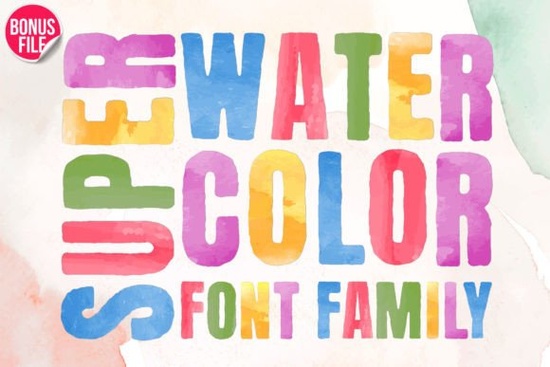
If you're looking for a watercolor-style font that actually looks hand-painted not just a flat overlay or a clipart effect then Super Watercolor Font is worth trying. It’s designed with authentic brush texture, subtle pigment bleed, and soft edges that mimic real watercolor ink on paper. Unlike many “watercolor” fonts that rely on heavy shadows or Photoshop layer effects, this one builds the texture right into each glyph. That means it works cleanly at any size, from a small tagline on a tote bag to a bold headline on a postcard.
What makes Super Watercolor Font different from other colorful fonts?
Most playful or artistic fonts fall into two camps: either they’re overly stylized (hard to read at smaller sizes) or too generic (lacking personality). Super Watercolor Font lands in the middle it’s expressive but legible, decorative but functional. The letters have gentle variations in stroke weight and edge softness, so no two “A”s look exactly alike unless you choose the standard version. And because it’s PUA encoded, you get quick access to alternate characters, swashes, and stylistic ligatures straight from your character map or design app no need to hunt through layers or install extra files.
You’ll notice it pairs well with simpler sans-serifs for contrast, or even other textured fonts like ABCD My Teacher Font, especially for school-themed projects. For back-to-school season, it adds warmth and approachability without feeling childish think classroom posters, welcome banners, or student name tags that feel personal, not mass-produced.
Where does it work best in real projects?
This isn’t just a “pretty font for Instagram posts.” Designers and crafters tell us it shines where texture and tactility matter:
- Print-on-demand items: T-shirts, mugs, and tote bags especially light-colored fabrics show off the soft pigment variation beautifully.
- Handmade packaging: Sticker sheets, gift tags, and product labels benefit from its organic, non-digital feel.
- Educational printables: From alphabet charts to reading logs, it adds visual interest without overwhelming young readers.
- Digital planners and Canva templates: Works reliably in most web-based tools thanks to clean vector outlines and consistent spacing.
It’s also beginner-friendly. If you’ve ever struggled to make a watercolor effect look cohesive across multiple words where some letters look washed out while others feel too saturated you’ll appreciate how evenly balanced the color density is across the full character set.
How does it compare to similar options in the colorful fonts category?
Compared to fonts like Back to School Font, which leans more toward chalkboard or marker styles, Super Watercolor Font offers softer contrast and a gentler palette. It’s less about energy and more about warmth ideal when you want charm without clutter. And unlike many script-based watercolor fonts, it includes full uppercase, lowercase, numbers, and punctuation, so you can set full sentences, not just short phrases.
It fits naturally alongside other watercolor-themed assets think hand-drawn borders, paint-splatter PNGs, or scanned paper textures but doesn’t compete with them. Instead, it complements them, letting the font carry the message while supporting elements add background depth.
Practical tips before you use it
• Test readability first: Try it at 14–16pt in body text (e.g., on a printable worksheet) before assuming it’s suitable for long passages. It’s optimized for headings and short statements not paragraphs.
• Check your software’s OpenType support: To access swashes and alternates easily, use apps like Adobe Illustrator, Affinity Designer, or recent versions of Canva Pro. Free tools like Google Fonts don’t support PUA-encoded fonts, so avoid uploading it there.
• Pair wisely: A clean sans-serif like Montserrat or Lato balances its texture without fighting it. Avoid pairing it with other highly decorated fonts two busy elements tend to cancel each other out visually.
• Use it where color matters: Since the watercolor effect relies on layered tones, it performs best on white or very light neutral backgrounds. On dark or busy backgrounds, consider using the outlined or solid version (if included) instead of the full watercolor variant.
If you’re building a seasonal collection like summer camp materials, teacher appreciation kits, or handmade greeting cards Super Watercolor Font often becomes a go-to for headlines and focal text. And if you already use ABCD My Teacher Font for playful learning visuals or Back to School Font for structured classroom themes, adding this one rounds out your toolkit with something softer and more atmospheric.
Next step: Download the font, open it in your design app, and try setting three simple things a child’s name, a short quote (“Hello, Summer!”), and a single word like “Create” or “Explore.” See how the texture holds up at different sizes and against different background colors. That quick test tells you more than any description ever could.
Explore Design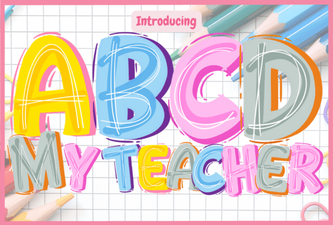 Abcd My Teacher Font for Creative Classroom Projects
 Fresh School Fonts for Teachers & Students
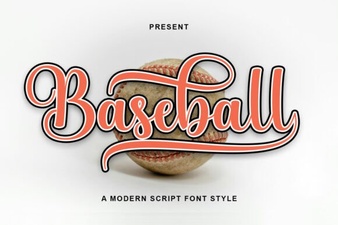 Baseball Font Ideas for Sports Design Projects
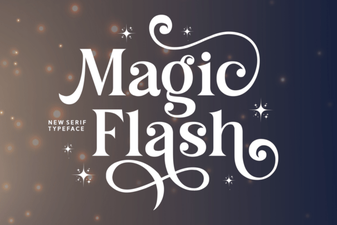 Magic Flash Font for Creative Design Projects
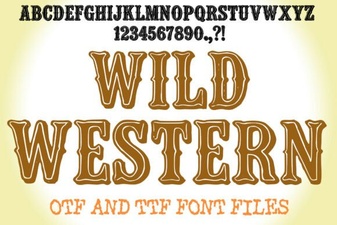 Designing with Vintage Wild Western Font Styles
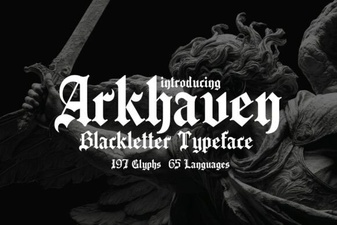 Design and Build with Arkhaven Font