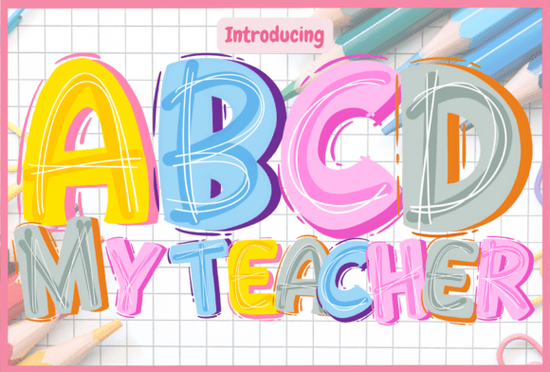
If you're looking for a friendly, classroom-ready typeface that stands out on posters, worksheets, or teacher-themed SVGs, the Abcd My Teacher Font is a thoughtful choice especially if your projects lean into early learning, preschool, or elementary education. It’s not just another playful font; it’s designed with intention: bold bubble letters, hand-drawn outlines, and a cheerful multicolor palette that feels like something a kid (or a very enthusiastic teacher) might sketch on a chalkboard.
Who is this font really for?
This isn’t a one-size-fits-all display font it shines where warmth and approachability matter most. Think classroom door signs, “All About Me” activity sheets, reward charts, back-to-school welcome banners, or printable flashcards for letter recognition. It’s especially well-suited for designers making resources for homeschoolers, small educational businesses, or print-on-demand shops offering themed learning kits. If your audience includes teachers, parents, or curriculum creators, this font helps your designs feel inviting not intimidating.
How does the color version actually work in design software?
The color version of Abcd My Teacher Font uses layered glyphs to create its vibrant look. That means it only works in programs that support OpenType color fonts (like Photoshop, Illustrator, Silhouette Studio, and Inkscape). You’ll see each letter rendered in its full multicolor style no manual recoloring needed. But don’t try loading it into Cricut Design Space or other cutting-machine software expecting full color output: it won’t render correctly there. For those tools, use the included black outline version instead. It’s clean, scalable, and fully compatible with Cricut, Cameo, and similar machines.
For clarity: the black version is a standard OTF/TTF file. The color version is a COLR/CPAL-enabled font (also OTF), but it relies on software-level support not just file format. If you’re unsure whether your program supports color fonts, check our Ultimate Font Guide, which walks through setup steps for common apps and troubleshooting tips.
What kinds of projects pair well with this font?
You’ll get the most out of Abcd My Teacher Font when it’s part of a cohesive, joyful visual system. Try pairing it with:
- Simple sans-serif fonts for body text like Montserrat or Quicksand to keep readability high while letting the display font shine.
- Hand-drawn borders or doodle-style clipart from Creative Fabrica’s back-to-school collection, which shares the same upbeat, inclusive energy.
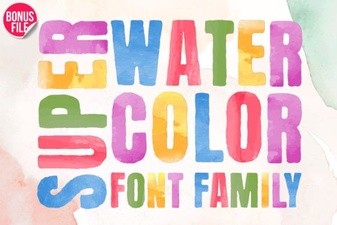
- Watercolor textures or soft pastel backgrounds, especially if you’re designing digital downloads or printable sets. The Super Watercolor Font complements it nicely for headings or accents that need a gentler, more organic contrast.
Is it practical for commercial use?
Yes with limitations. The license allows personal and commercial use, including selling physical products (like mugs, tote bags, or framed prints) and digital downloads (PDF worksheets, Canva templates, etc.). However, you can’t resell the font files themselves or include them in editable design templates where buyers could extract and reuse the font. Always double-check the current license terms on the product page before launching a new product line.
One note for crafters using cutting machines: because the black version is vector-friendly and cleanly outlined, it cuts beautifully on vinyl, cardstock, or heat transfer material. Just remember to convert to outlines or flatten layers before sending to your machine especially if layering it with other graphics.
A quick reality check before you download
Before adding Abcd My Teacher Font to your next project, ask yourself:
- Do I need full color rendering or will the black outline version meet my needs? (Most cutting-machine users do.)
- Am I using Photoshop, Illustrator, Silhouette, or Inkscape? If not, the color version won’t appear as intended.
- Is my audience likely to appreciate a lighthearted, non-formal aesthetic? This font doesn’t suit legal documents or corporate reports and that’s by design.
- Have I tested spacing and sizing at actual print size? Bubble fonts can look great on screen but sometimes need extra letter-spacing (tracking) when scaled down for small labels or stickers.
For reference, you can explore similar styles on Creative Fabrica using the Abcd My Teacher Font search link to compare variations or bundle options.
Next step: Download the font, open it in your preferred design app, and test both the black and color versions side-by-side on a simple “Welcome Back!” banner. See which version fits your workflow and your audience’s expectations best.
Get Started Fresh School Fonts for Teachers & Students
 A Modern Watercolor Font for Creative Design Projects
 Baseball Font Ideas for Sports Design Projects
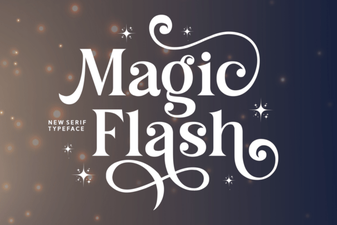 Magic Flash Font for Creative Design Projects
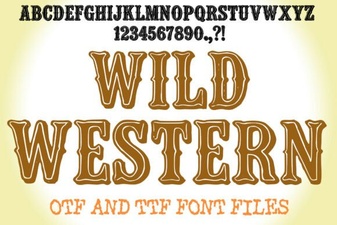 Designing with Vintage Wild Western Font Styles
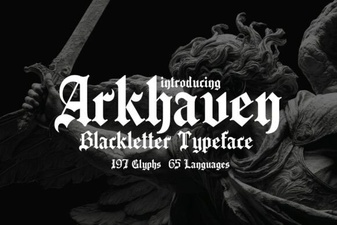 Design and Build with Arkhaven Font